

You’ve decided to buy bitcoin. Smart move. But before you do, you need to understand one critical truth: bitcoin security is your responsibility.
You’ve probably heard the horror stories:
“Someone lost $500,000 because they forgot their password.”
“A hacker stole all the bitcoin from an exchange.”
“I sent bitcoin to the wrong address and it’s gone forever.”
These stories are real, and they’re scary. But here’s the truth: bitcoin is extremely secure when you follow the right practices. The problem is not bitcoin itself, it’s user error and lack of education.
In this guide, we’re going to walk you through exactly how to buy bitcoin safely and store it securely. We’ll cover the common mistakes people make, the best practices to follow, and the tools you need to protect your investment.
By the end of this article, you’ll have a clear, step-by-step plan for securing your bitcoin with confidence.
The Golden Rule of Bitcoin Security
Before we dive into the details, let’s start with the most important principle in bitcoin security:
“Not your keys, not your bitcoin.”
This phrase is repeated constantly in the bitcoin community, and for good reason. It means that if you don’t control the private keys to your bitcoin, you don’t actually own it. You’re trusting someone else to hold it for you.
Think of it like this: if you keep your gold in a bank’s vault, you don’t really own the gold. You own a claim to the gold, and you’re trusting the bank to give it back to you when you ask. The bank could go bankrupt, get robbed, or refuse to give you your gold.
Bitcoin was designed to eliminate this need for trust. When you control your own private keys, you truly own your bitcoin. No one can freeze it, seize it, or prevent you from accessing it.
But with great power comes great responsibility. If you lose your private keys, no one can help you recover them. There’s no “forgot password” button. Your bitcoin is gone forever.
This is why security is so important, and why we’re going to walk you through it step by step.
Step 1: How to Buy Bitcoin Safely
The first step in your bitcoin journey is buying your first bitcoin.
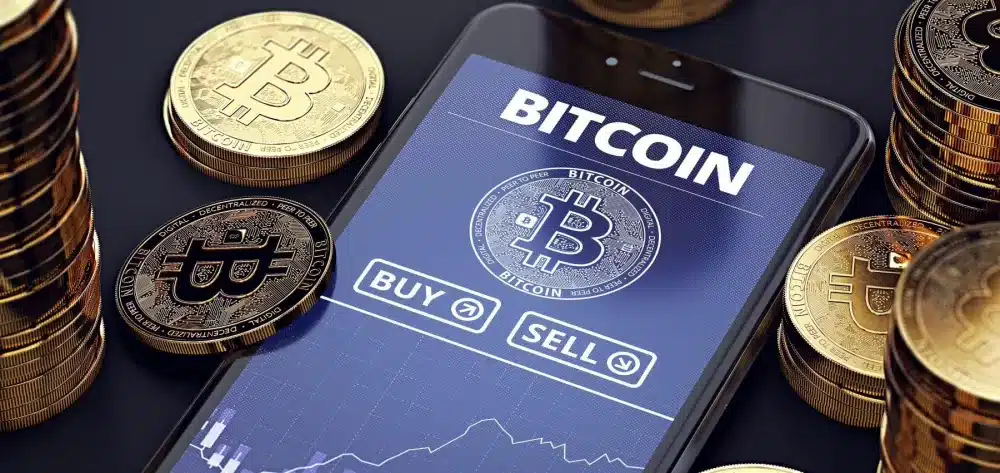
Here’s how to do it safely:
Choose a Reputable Exchange
A bitcoin exchange is a platform where you can buy bitcoin using traditional currency (like U.S. dollars). Not all exchanges are created equal, so it’s important to choose one with a strong reputation for security and reliability.
Recommended Exchanges for Beginners:
Strike: A bitcoin-only exchange and financial service company with incredibly low fees and is easy to use.
Bitcoin Well: An exchange that requires you set up your own wallet, meaning they never have custody of your bitcoin, very in line with the sovereignty inherent in owning bitcoin.
Swan Bitcoin: A bitcoin-only exchange that focuses on long-term savers. Offers automatic recurring purchases and excellent educational resources.
River: A bitcoin-only exchange with some additional features. They provide proof-of-reserves so that you can be sure that your bitcoin is not being re-hypothecated.
What to Look For:
- Regulatory compliance (licensed in the U.S.)
- Strong security track record (no major hacks)
- Insurance on deposits (FDIC insurance on USD, though not on bitcoin itself)
- Good customer support
- Transparent fee structure
Create Your Account and Verify Your Identity
Once you’ve chosen an exchange, you’ll need to create an account. This process typically involves:
- Providing your email address and creating a password
- Verifying your identity (KYC – Know Your Customer) by uploading a photo ID
- Linking a bank account or debit card for funding
The identity verification process can feel invasive, but it’s required by law in the U.S. and most other countries. It’s also a sign that the exchange is legitimate and compliant with regulations.
Security Tip: Enable two-factor authentication (2FA) on your exchange account immediately. This adds an extra layer of security by requiring a code from your phone in addition to your password. Use an authenticator app like Google Authenticator or Authy, not SMS (text messages can be intercepted).
Make Your First Purchase
Once your account is verified and funded, you’re ready to buy bitcoin. Here’s how:
- Navigate to the “Buy Bitcoin” or “Trade” section of the exchange
- Enter the amount you want to buy (you can buy a fraction of a bitcoin, you don’t need to buy a whole one)
- Review the price and fees
- Confirm the purchase
Your bitcoin will appear in your exchange account within a few minutes.
Important: Don’t leave your bitcoin on the exchange for long. Exchanges are targets for hackers, and while reputable exchanges have strong security, they’re not immune to attacks. As soon as you’re comfortable with the process, move your bitcoin to a wallet you control.
Step 2: Understanding Bitcoin Wallets
A bitcoin wallet is software that allows you to store, send, and receive bitcoin. But here’s the important part: the wallet doesn’t actually “store” your bitcoin. Your bitcoin lives on the timechain. What the wallet stores is your private keys, which are the cryptographic keys that give you access to your bitcoin.
Think of your private keys like the password to your bank account, except there’s no “reset password” option. If you lose your private keys, you lose access to your bitcoin forever.

There are several types of bitcoin wallets, each with different levels of security and convenience:
Types of Wallets
1.Exchange Wallets (Custodial)
- Security: Low to Medium
- Convenience: High
- Control: You don’t control the keys (the exchange does)
This is the wallet that’s automatically created when you sign up for an exchange like Coinbase. It’s convenient, but you’re trusting the exchange to keep your bitcoin safe. This is fine for small amounts or for bitcoin you plan to move quickly, but not recommended for long-term storage.
2. Software Wallets (Hot Wallets)
- Security: Medium
- Convenience: High
- Control: You control the keys
These are apps you install on your phone or computer. Examples include Blue Wallet and Sparrow Wallet. They give you full control over your private keys, which means you’re responsible for keeping them safe. However, if your phone/computer were ever to be hacked and private keys exposed to an attacker, your funds are lost forever.
3. Hardware Wallets (Cold Storage)
- Security: Very High
- Convenience: Medium
- Control: You control the keys
These are physical devices that store your private keys offline. They’re the gold standard for bitcoin security. Examples include Trezor, Coldcard, and Foundation’s Passport.
For any significant amount of bitcoin (more than you’d be comfortable carrying in cash inside a physical wallet), a hardware wallet is the way to go.
Step 3: Setting Up a Hardware Wallet (The Secure Way)
A hardware wallet is a small device (about the size of a USB drive or calculator) that stores your private keys offline. Because it’s not connected to the internet, it’s immune to online hacking attempts.

Here’s how to set one up:
Choose a Hardware Wallet
Bitkey: User-friendly, easy to use and hard to loose, good for beginners. (~$100-$150)
Trezor Model T or Trezor One: Open-source, strong reputation, first on the market. ($130-$250)
Coldcard Q: Bitcoin-only, maximum security, highly recommended. (~$250)
For most people, we recommend starting with a Bitkey or ColdCard Q. Choose the Bitkey if you want to have something that is very convenient and secure, and choose the Coldcard Q if you are willing to learn how to custody in a fully sovereign manner.
Important: Only buy hardware wallets directly from the manufacturer’s website or an authorized reseller. Never buy a used hardware wallet or one from a third-party marketplace like eBay or Amazon. Tampered devices are a real risk.
Unbox and Initialize Your Device
When your hardware wallet arrives:
- Check for tampering: Make sure the packaging is sealed and hasn’t been opened. If anything looks suspicious, contact the manufacturer.
- Connect the device: Plug it into your computer using the provided USB cable.
- Install the companion software: Download the official app from the manufacturer’s website (Ledger Live for Ledger, Trezor Suite for Trezor).
Initialize the device: Follow the on-screen instructions to set up your device. You’ll create a PIN code to protect the device from physical theft.
Write Down Your Seed Phrase (This is Critical)
During the setup process, your hardware wallet will generate a seed phrase (also called a recovery phrase or backup phrase). This is typically a list of 12 or 24 words.
This seed phrase is the master key to your bitcoin. If you lose your hardware wallet or it breaks, you can use this seed phrase to recover your bitcoin on a new device.
Critical Security Steps:
- Write it down. Use the card provided by the manufacturer, or write it in a notebook. Do NOT type it into your computer or phone. Do NOT take a photo of it. Do NOT store it in the cloud.
- Record your seed in metal: The security of your seed phrase is the security of your bitcoin. Recording it permanently on paper is not recommend. Purchase a product that allows you to etch the words into stainless steel so that you can rest easy knowing no catastrophic accident can separate you from your bitcoin.
- Never share it with anyone. Not even customer support. No legitimate company will ever ask for your seed phrase.
- Test your backup. Before you send any bitcoin to your hardware wallet, test the recovery process. Wipe the device and restore it using your seed phrase to make sure you wrote it down correctly.
This might seem paranoid, but it’s not. There are countless stories of people losing millions of dollars in bitcoin because they didn’t properly secure their seed phrase.
Step 4: Transferring Bitcoin from the Exchange to Your Hardware Wallet
Now that your hardware wallet is set up, it’s time to move your bitcoin from the exchange to your wallet. This is called “withdrawing” your bitcoin.
Here’s how to do it safely:
Get Your Bitcoin Address from Your Hardware Wallet
- Open the companion app on your computer (Sparrow, Bitkey, or Trezor Suite)
- Connect your hardware wallet (if needed)
- Navigate to your bitcoin account
- Click “Receive” to generate a receiving address
Your bitcoin address will look something like this: bc1qxy2kgdygjrsqtzq2n0yrf2493p83kkfjhx0wlh (it will almost always begin with bc1q)
This is like your bank account number, but you have many. You can share it with others to receive bitcoin.
Important: Bitcoin addresses are case-sensitive and very long. Double-check the characters before sending bitcoin to it. A single typo means your bitcoin will be lost forever.
Withdraw from the Exchange
- Log in to your exchange account
- Navigate to the “Withdraw” or “Send” section
- Select bitcoin (BTC) as the asset you want to withdraw
- Paste your hardware wallet address into the “Destination Address” field
- Enter the amount you want to withdraw
- Review the transaction fee (exchanges typically charge a small fee for withdrawals)
- Confirm the withdrawal
The bitcoin will typically arrive in your hardware wallet within 10-60 minutes, depending on network congestion and the fee you paid.
Once it arrives, congratulations! You now have full control over your bitcoin. You are now your own bank.
Step 5: Special Considerations for Bitcoin Miners
If you’re mining bitcoin (or planning to), there are some additional security considerations:
Set Up Automatic Transfers from Your Mining Pool
When you mine bitcoin, your earnings accumulate in your mining pool account. You should set up automatic transfers (called “auto-withdrawal”) to send your bitcoin directly to your hardware wallet as soon as you reach a minimum threshold (usually 0.01 bitcoin).
This minimizes the amount of time your bitcoin sits in the mining pool, reducing your exposure to risk.
Use a Dedicated Wallet for Mining
Consider using a separate derivation path (sometimes labelled as a separate “account”) within your hardware wallet for receiving mining payouts. This keeps your mining income separate from your long-term holdings, making it easier to track for tax purposes.
Keep Detailed Records
As a bitcoin miner, you’re running a business. Keep detailed records of:
- When you received each payout
- The value of bitcoin at the time of receipt (for tax purposes)
- Your mining-related expenses (hardware, hosting fees, etc.)
Secure Your Mining Pool Account
Your mining pool account is where your bitcoin accumulates before it’s transferred to your wallet. Secure it with:
Regular monitoring to ensure payouts are going to the correct address
A strong, unique password
Two-factor authentication (2FA)
Step 6: Best Practices for Long-Term Security
Now that your bitcoin is safely stored in your hardware wallet, here are some best practices to keep it secure for the long term:
1. Keep Your Seed Phrase Secure
- Store it in a fireproof and waterproof safe
- Never store it digitally (no photos, no cloud storage, no password managers)
- Consider splitting it across multiple locations for redundancy
2. Keep Your Hardware Wallet Firmware Updated
Manufacturers regularly release firmware updates that fix security vulnerabilities. Check for updates every few months and install them.
3. Be Paranoid About Phishing
Scammers will try to trick you into revealing your seed phrase or sending bitcoin to them. Common tactics include:
- Fake emails that look like they’re from your exchange or wallet provider
- Fake websites that look like the real thing
- Fake customer support accounts on social media
Always double-check URLs, never click on links in emails, and remember that no legitimate company will ever ask for your seed phrase.
4. Plan for Inheritance
If something happens to you, your family needs to be able to access your bitcoin. Consider:
Educating a trusted family member about bitcoin security
Leaving instructions in your will
Using a service like Casa or Unchained that offers multi-signature wallets with inheritance features
Common Mistakes to Avoid
Here are the most common mistakes people make when securing their bitcoin:
1. Leaving bitcoin on an exchange for years. Exchanges are targets for hackers. Move your bitcoin to a wallet you control.
2. Not backing up the seed phrase. If you lose your seed phrase and your hardware wallet breaks, your bitcoin is gone forever.
3. Storing the seed phrase digitally. Photos, cloud storage, and password managers can all be hacked. Use physical backups only.
4. Sending bitcoin to the wrong address. Always double-check the address before sending. Bitcoin transactions are irreversible.
5. Falling for scams. If someone is offering to double your bitcoin or asking for your seed phrase, it’s a scam. No exceptions.
The Bottom Line: Security is Simple When You Follow the Rules

Bitcoin security might seem intimidating at first, but it’s actually quite simple when you follow best practices:
- Buy bitcoin from a reputable exchange
- Move it to a hardware wallet you control
- Write down your seed phrase and store it securely
- Never share your seed phrase with anyone
- Be paranoid about phishing and scams
- If you’re mining, set up automatic transfers to your secure wallet
Follow these rules, and your bitcoin will be more secure than money in a bank account.
As our customer, Jeff said when he first started, “I thought this would be a lot harder.” It’s not. It just requires a little education and a commitment to following the right practices.
At Abundant Mines, we help our mining customers set up secure wallets and configure automatic transfers from their mining operation. We’ll walk you through the entire process and make sure you’re comfortable with every step.
Ready to take the next step?
Next: Hosted Mining vs. Self-Hosting vs. Buying Bitcoin to understand which accumulation strategy is right for you
Schedule a Call with Our Team to get your specific questions answered and see if mining is right for you
Download Our Free Guide: 36 Point Checklist to View Before Investing in Bitcoin Mining to understand what to look for in a mining partner

